March 2026 Clarity ® Updates
The latest Clarity Data Intelligence® (Clarity) updates are now available for Credit Risk Transfer (CRT) and Mortgage-Backed Securities (MBS).
Here’s what’s new:
New Clarity URL
On March 13th, the URL changed for logging into your Clarity account. Here’s what you need to know:
- If you access Clarity from our Capital Markets landing page, you will not be impacted, and no action is required.
- If you access Clarity directly through a favorite in your web browser, please save the new Clarity URL after logging in to maintain access to CRT and MBS dashboards.
CRT Updates
Direct Dashboard Links and Bookmark Sharing
Both CRT and MBS Data Intelligence users can now share direct links to dashboards. The URL of each page is now distinct and can be copied from the URL bar to share with other users. These links will take other users to the default view on the dashboard that was shared.
In addition, CRT Data Intelligence users can now share bookmarks with other CRT Clarity users. This allows you to share a direct link to a dashboard that also includes the dashboard filters and drop-down selections that you have made, so that the receiving user can see exactly what you were looking at on a dashboard.
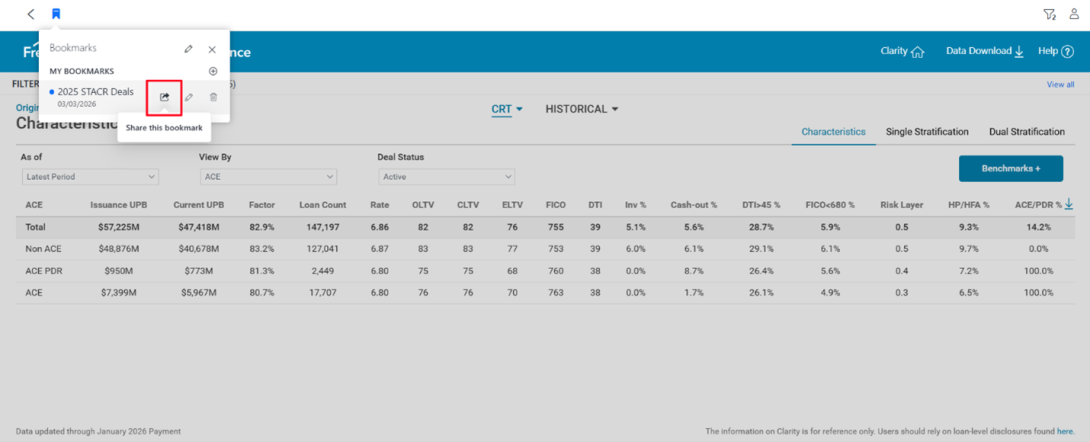
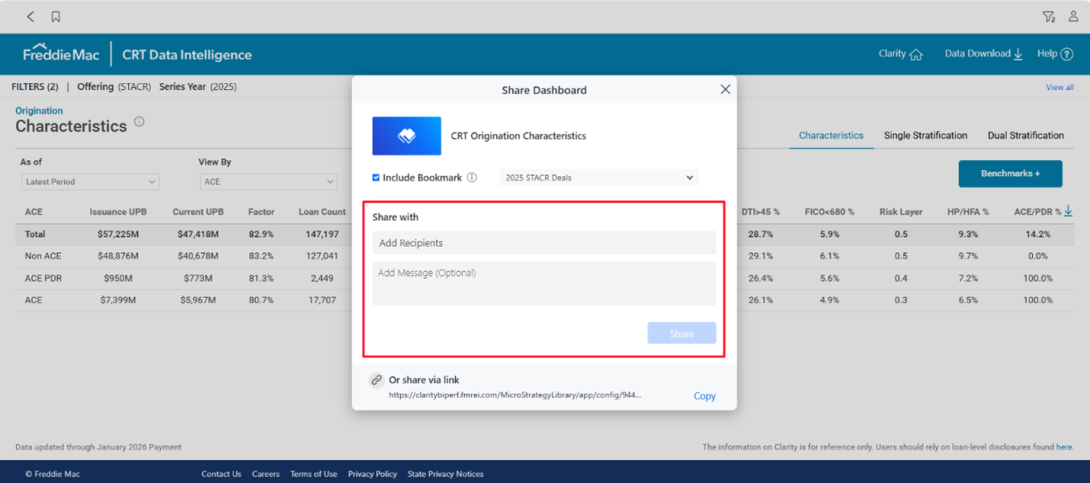
To share a bookmark with another user, select the share button on an existing bookmark.
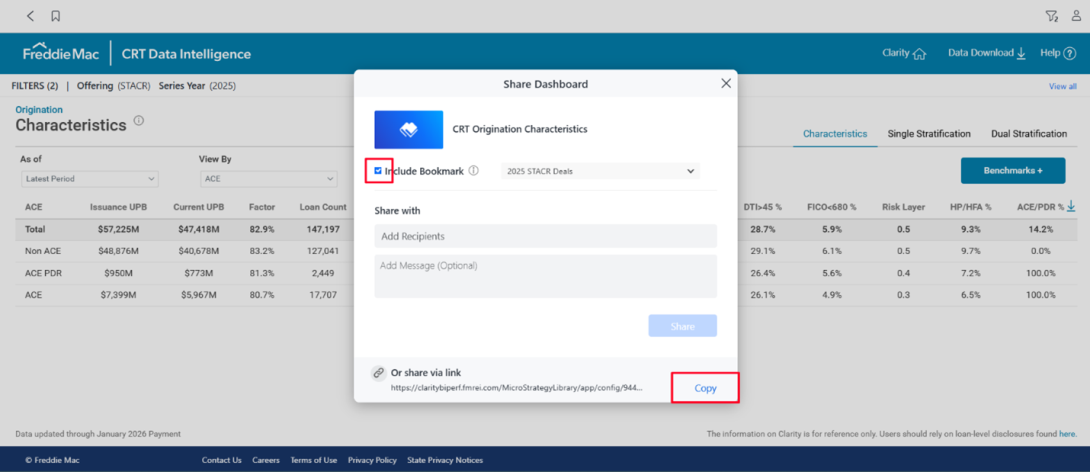
In the pop-up window, ensure the Include Bookmark box is checked. Select Copy in the Or share via link section at the bottom of the pop-up and provide the link to the intended recipient.
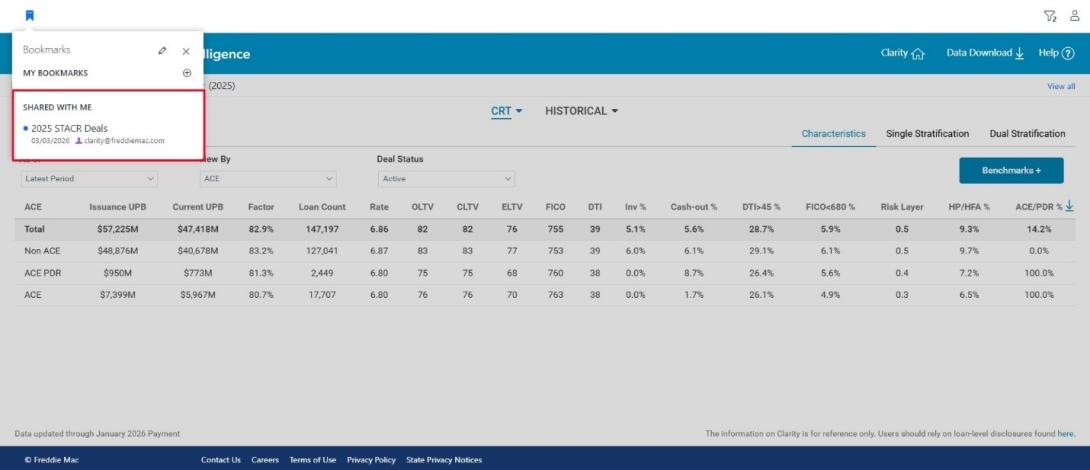
When the recipient opens the link and signs in to Clarity, the bookmark will be added to their account. All applied filters and drop-down selections will now be loaded for the recipient. Any changes made by the bookmark owner, including deletion, will also be applied to the recipient’s account.
Note: Bookmarks are dashboard-specific and will be added only to the designated dashboard (for example, the Origination Characteristics dashboard). If you send the URL by copying from the address bar (rather than sharing a bookmark), no filters or drop-down selections will be applied when the recipient opens the link. The recipient will see the default view on that dashboard and nothing will be saved to their account.
The Share with section in the pop-up window is only for sharing a bookmark directly with the Clarity Team ([email protected]). You will not be able to select any other users in this section.
For more details on using Clarity’s Bookmarks, please reference the CRT Data Intelligence Bookmarks Guide.
MBS Updates
Unadjusted Loan-Count and Unpaid Principal Balance (UPB)-Based Index Values
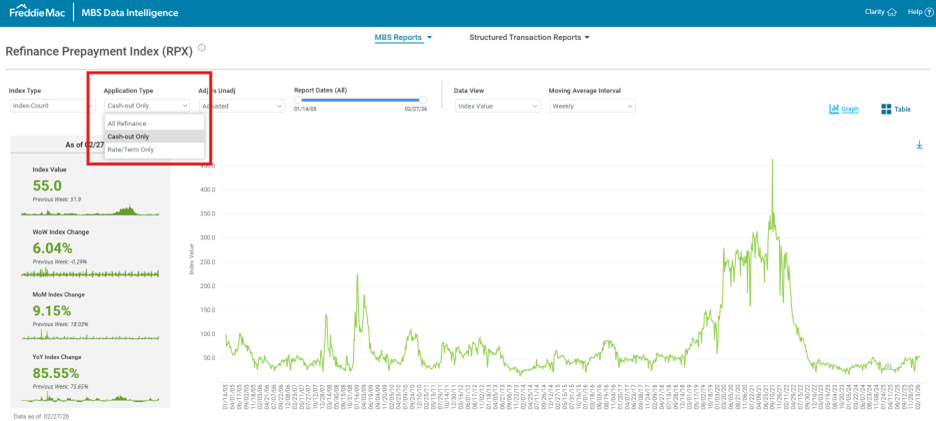
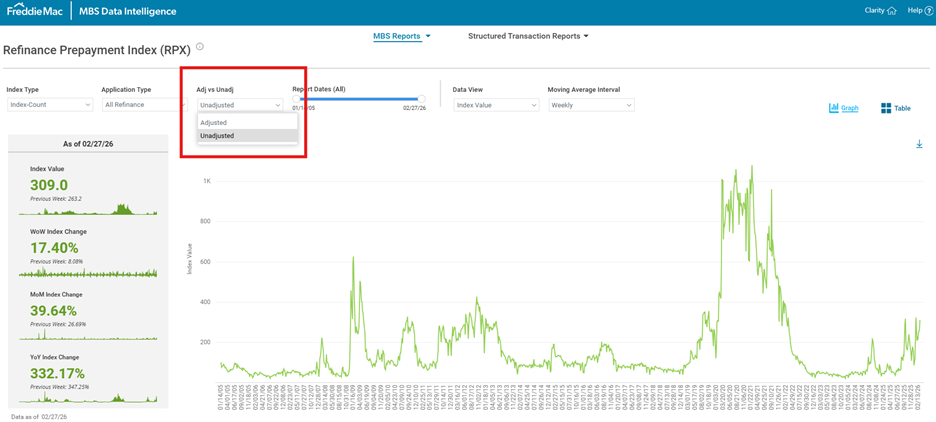
The Refinance Prepayment Index (RPX) Dashboard now lets you display loan-count and UPB-based index columns in an unadjusted format. This feature shows index values without adjustments for Freddie Mac’s portfolio growth. Use the new "Adj vs Unadj" dropdown filter to easily switch between adjusted and unadjusted values.
Filter by Refinance Application Type
You can now filter the RPX Dashboard to separate Cash-out and Rate/Term refinance applications. This update gives you clearer insight into the types of refinance applications Freddie Mac receives.